> ## Documentation Index
> Fetch the complete documentation index at: https://docs.codecrafters.io/llms.txt
> Use this file to discover all available pages before exploring further.
# Anonymous mode
> Learn more about anonymous mode access with a CodeCrafters membership
[Upgrade here](https://app.codecrafters.io/pay) to get access to anonymous
mode.
A CodeCrafters membership grants you access to anonymous mode. It allows you to hide your GitHub username and avatar on CodeCrafters.
## What is anonymous mode?
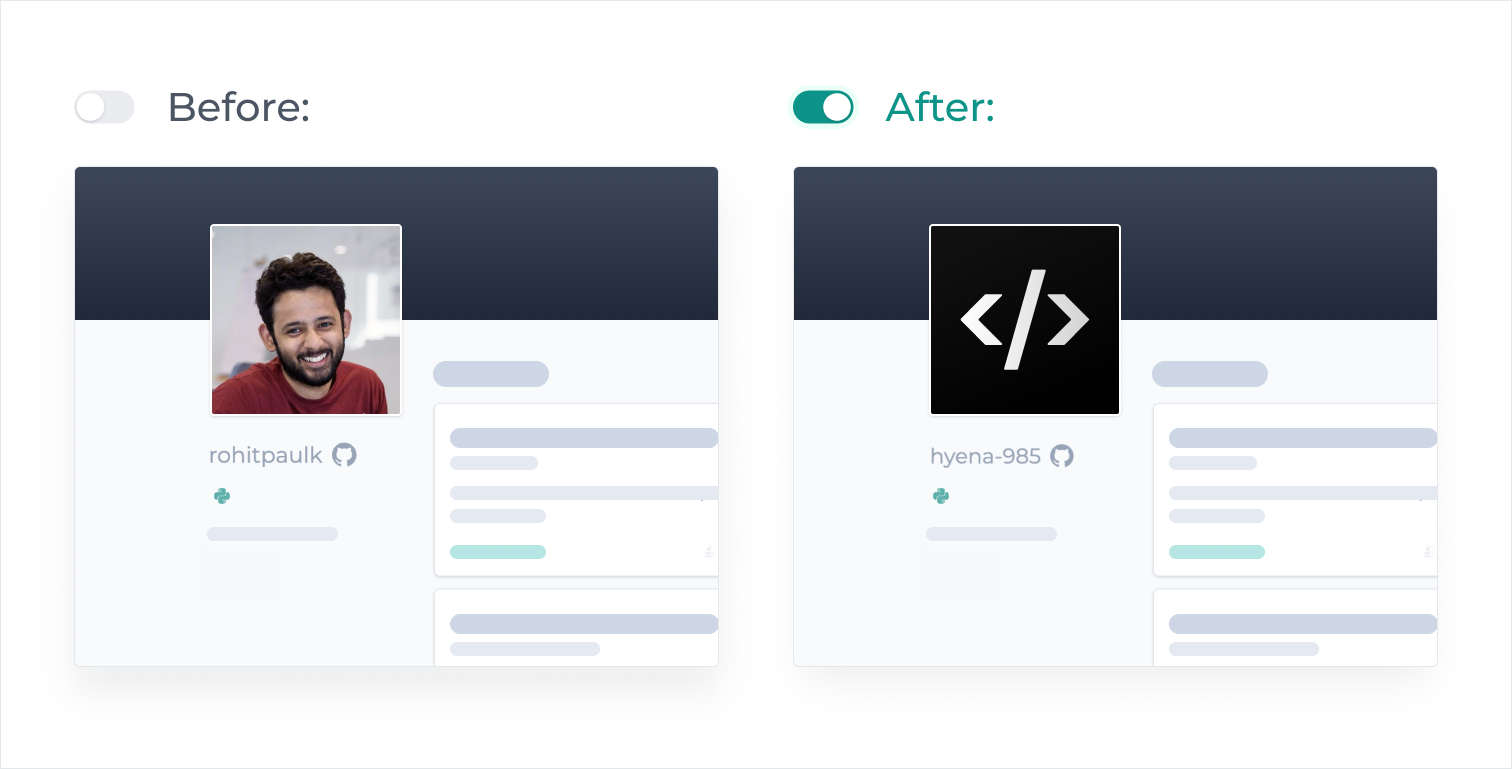
Anonymous mode masks the GitHub username and avatar on your CodeCrafters profile.
Your code examples and profile will still be public but under a random username and profile picture.
 ## How do I enable it?
To enable anonymous mode:
1. Click on your username on the top right corner of the page.
2. Select **Settings** from the dropdown menu
3. Locate the **Anonymous Mode** option and toggle the button next to it to activate
## How do I enable it?
To enable anonymous mode:
1. Click on your username on the top right corner of the page.
2. Select **Settings** from the dropdown menu
3. Locate the **Anonymous Mode** option and toggle the button next to it to activate
 {" "}
Once anonymous mode is enabled, it will not be disabled, even if your membership
expires.
{" "}
Once anonymous mode is enabled, it will not be disabled, even if your membership
expires.