> ## Documentation Index
> Fetch the complete documentation index at: https://docs.codecrafters.io/llms.txt
> Use this file to discover all available pages before exploring further.
# Publish to GitHub
> Learn more about the Publish to GitHub feature
This integration allows you to publish your CodeCrafters repositories to GitHub with just a couple of clicks.
Each CodeCrafters Challenge includes an option in the language dropdown menu to **"Publish to GitHub"**:
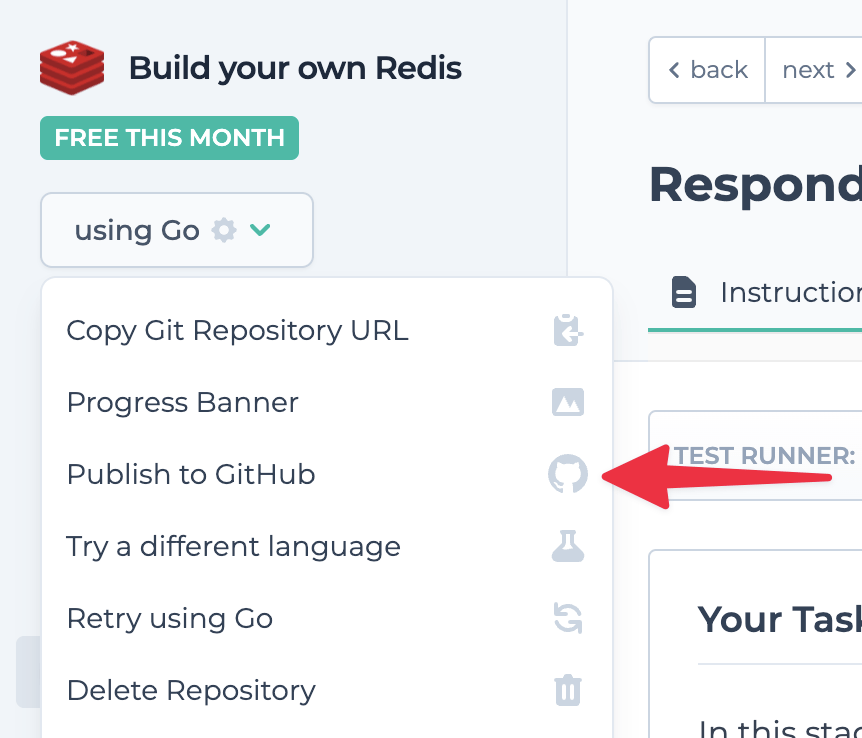 Once you click 'Publish,' any subsequent changes made to the `master` branch of your CodeCrafters repository will automatically sync to GitHub.
Don't push changes to your GitHub repository directly.
Push to your CodeCrafters Git repository instead, and we'll sync changes to
GitHub.
Any changes pushed to your GitHub repository directly will be overridden.
## Frequently Asked Questions
### What happens if I delete my CodeCrafters account?
Your CodeCrafters repository will be deleted but your GitHub repository will remain intact. If you choose, you can also delete your GitHub repository.
### What happens if I delete my CodeCrafters repository?
Your GitHub repository will remain unchanged.
### What happens if I push changes directly to my GitHub repository instead of my CodeCrafters repository?
It will have no effect on the CodeCrafters repository. As mentioned in the callout above, syncing is one-way only.
### Who can see my published repository?
This is up to you. You can set this in the privacy settings of your GitHub repository.