> ## Documentation Index
> Fetch the complete documentation index at: https://docs.codecrafters.io/llms.txt
> Use this file to discover all available pages before exploring further.
# Pre-launching your challenge
> Details on pre-launching your challenge.
Once you've [planned your challenge](/contributors/authoring-challenges/planning-your-challenge), you're ready to start adding enough information to
create the "overview" page.
We'll use this page to pre-launch your challenge and start attracting early users who'll help test your challenge & share feedback.
[Paul](mailto:paul@codecrafters.io) will create a draft challenge for you and grant you access to it.
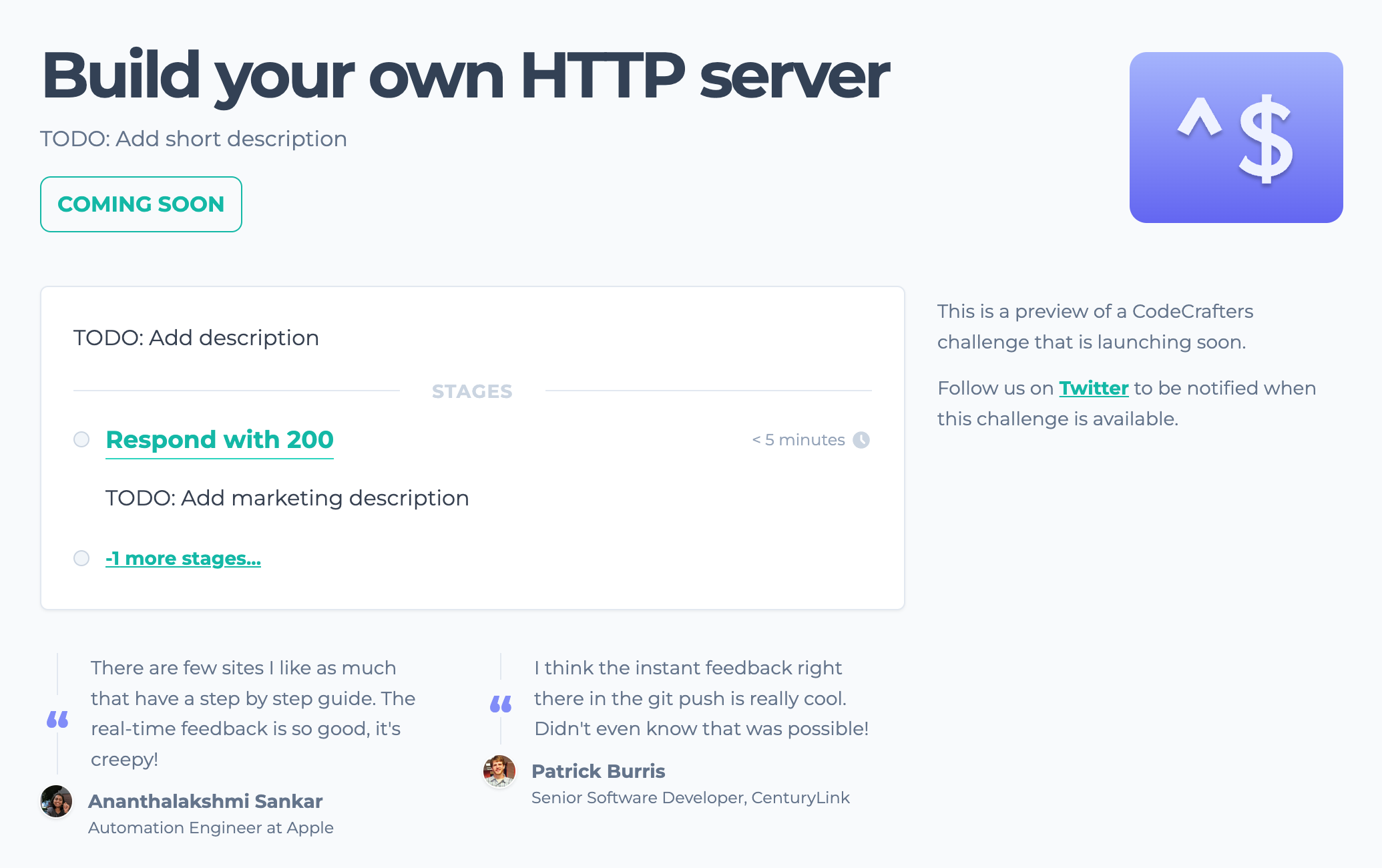
At the start, the overview page for the challenge will look something like this:
 This page is generated from contents in `course-definition.yml`, which you'll find in your course's repository:
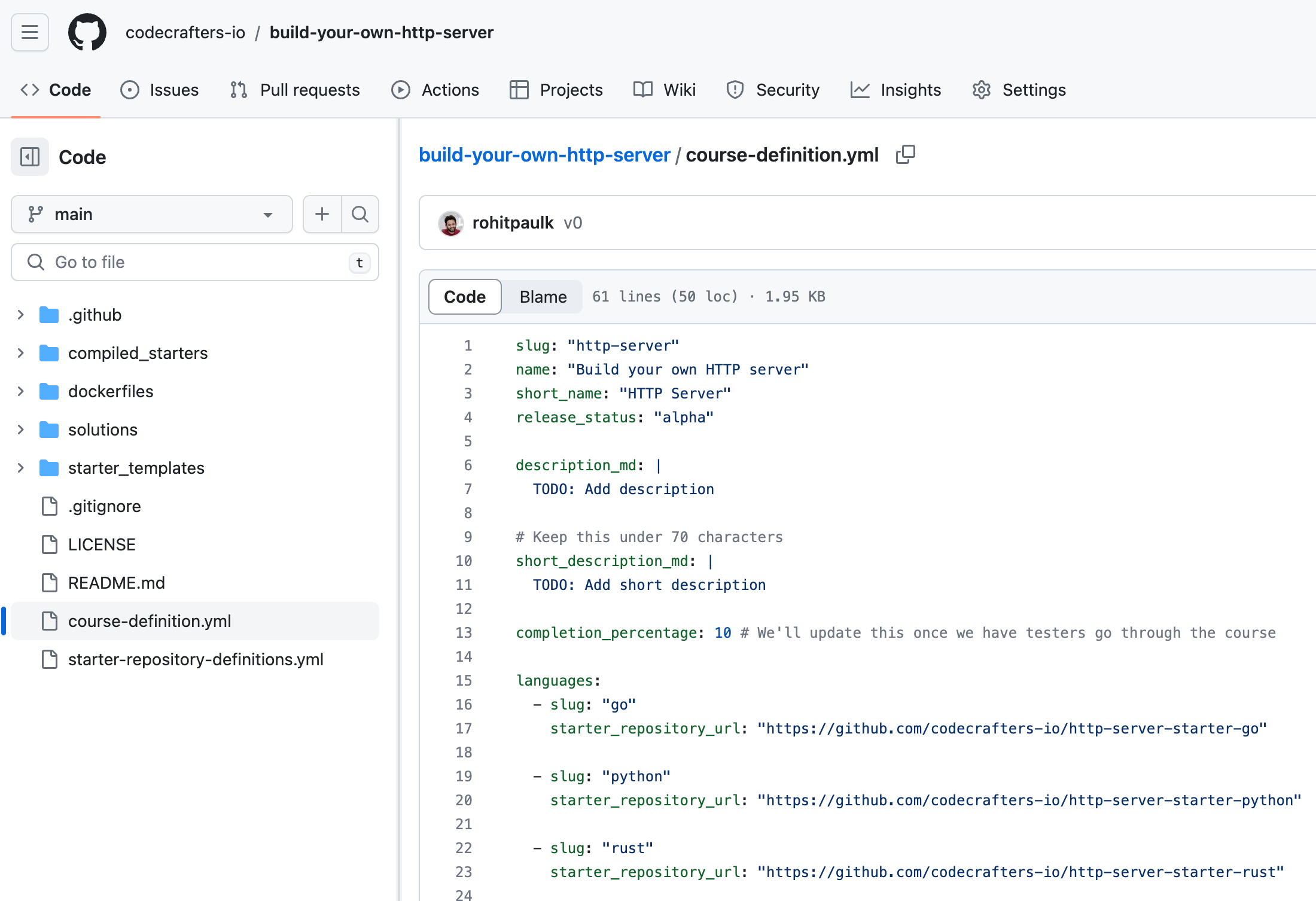 View [Course Definition Reference](/contributors/authoring-challenges/course-definition-reference) for a description of all the fields in `course-definition.yml`.
You can edit this file to fill in the relevant information. Once the changes are merged into `main`, you can go to your course's admin page to "apply" the changes.
Your course's admin page is located at `https://app.codecrafters.io/courses//admin/updates`.
View [Course Definition Reference](/contributors/authoring-challenges/course-definition-reference) for a description of all the fields in `course-definition.yml`.
You can edit this file to fill in the relevant information. Once the changes are merged into `main`, you can go to your course's admin page to "apply" the changes.
Your course's admin page is located at `https://app.codecrafters.io/courses//admin/updates`.
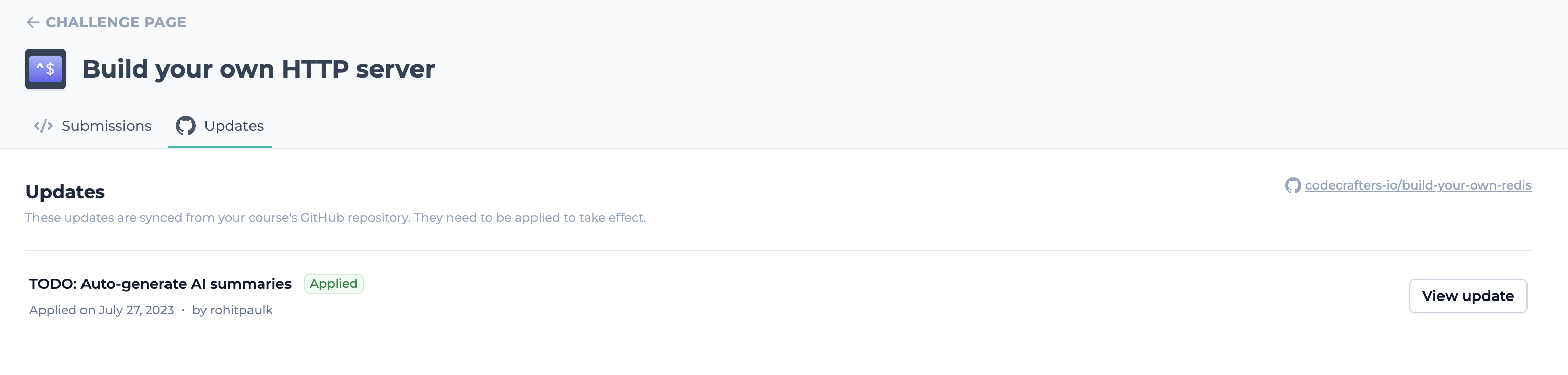 Once applied, your changes should be reflected on the overview page. You can continuously tweak these details until you're happy with them.
***
Let Paul know once you're happy with the overview page for your course. You can now move on to [building your challenge](/contributors/authoring-challenges/building-your-challenge).
Once applied, your changes should be reflected on the overview page. You can continuously tweak these details until you're happy with them.
***
Let Paul know once you're happy with the overview page for your course. You can now move on to [building your challenge](/contributors/authoring-challenges/building-your-challenge).