> ## Documentation Index
> Fetch the complete documentation index at: https://docs.codecrafters.io/llms.txt
> Use this file to discover all available pages before exploring further.
# How do challenges work?
> In CodeCrafters challenges, you'll write code to pass each stage and we'll verify your code submissions. Read more below to understand how exactly this works.
## How do challenges work
### 1. Setting up your Git repository
First off, we'll create a git repository for you. Like [this one](https://github.com/codecrafters-io/redis-starter-python). You'll use this repository to submit code to CodeCrafters to run tests.
You can choose what language to use at this point. You can freely switch between languages whenever you want.
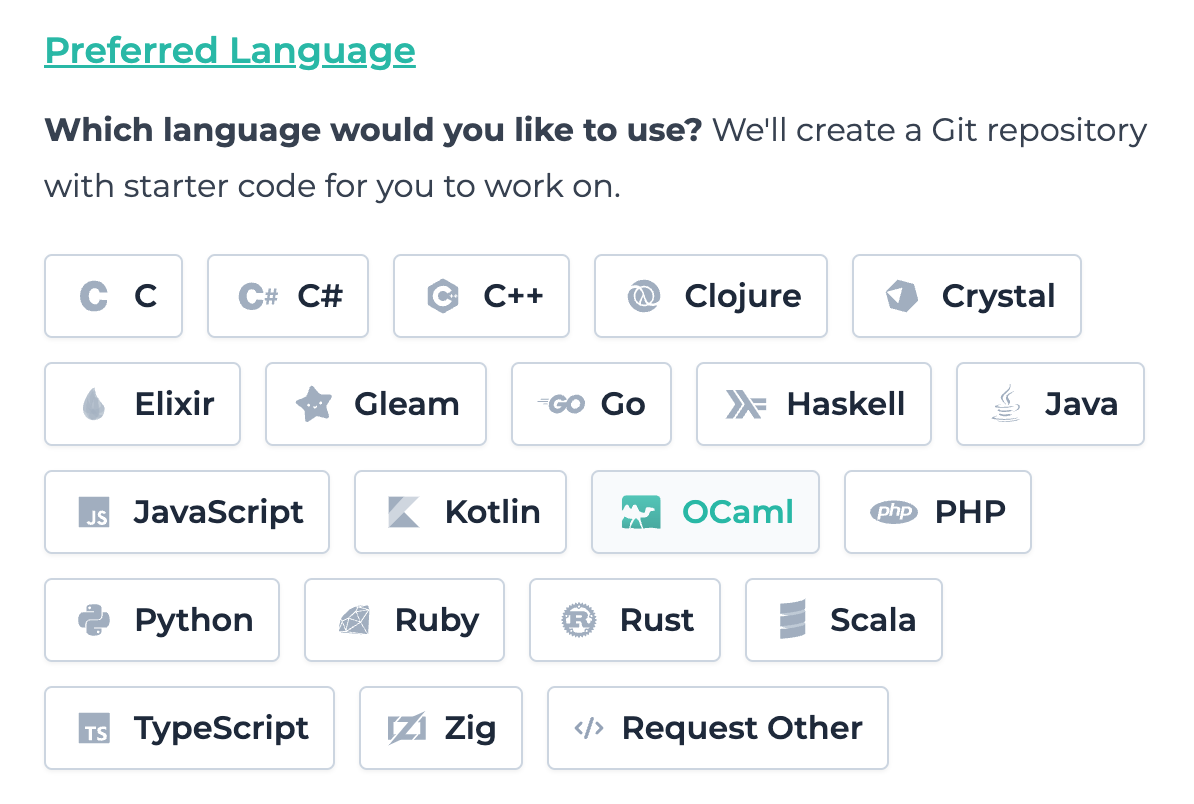 Once you've selected a language, we'll create the git repository for you and provide instructions to push a test commit.
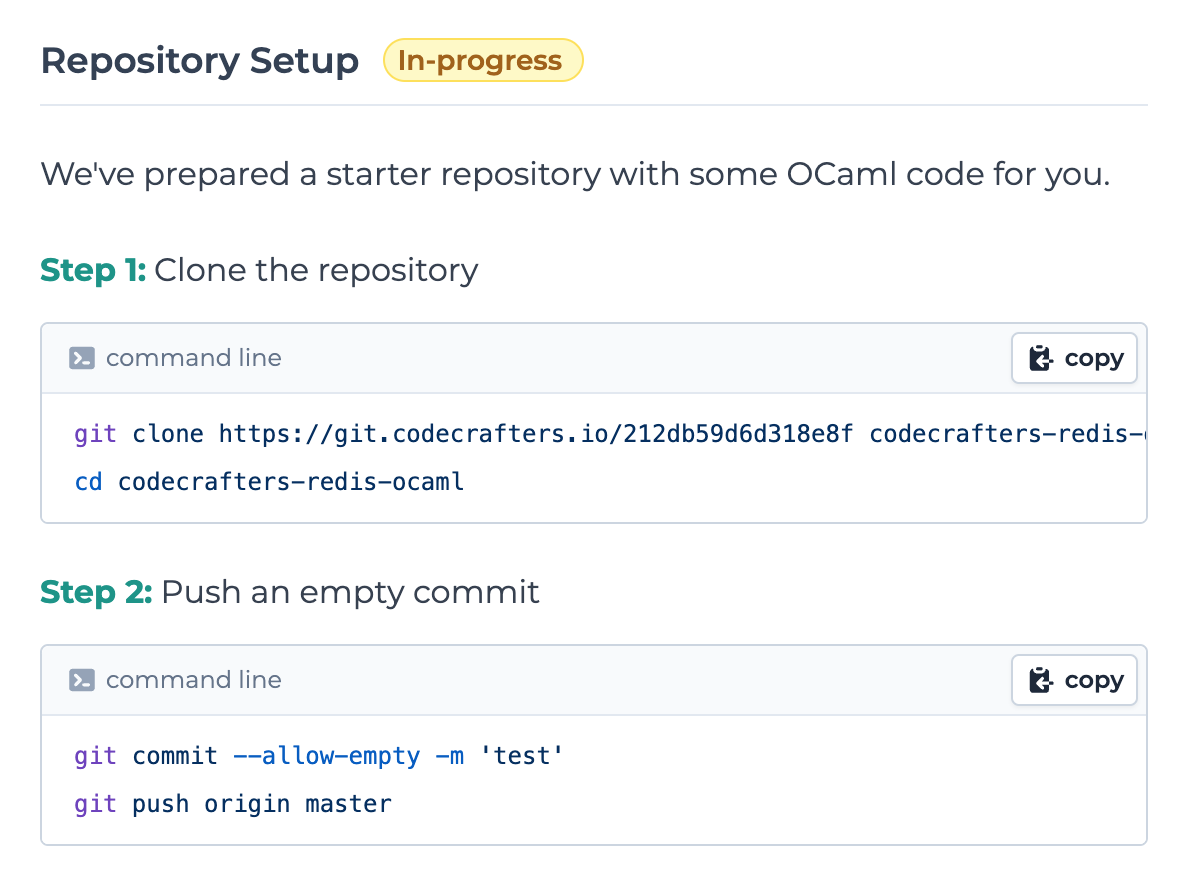 #### How to run `git` commands?
You need to run `git` commands on your local machine.
If you're on Windows, you can use [PowerShell](https://learn.microsoft.com/en-us/powershell/scripting/windows-powershell/starting-windows-powershell#from-the-start-menu).
Make sure Git is [installed](https://git-scm.com/download) and [set up properly](https://git-scm.com/book/en/v2/Getting-Started-First-Time-Git-Setup).
Copy and paste the commands into your terminal, and press enter.
#### How to run `git` commands?
You need to run `git` commands on your local machine.
If you're on Windows, you can use [PowerShell](https://learn.microsoft.com/en-us/powershell/scripting/windows-powershell/starting-windows-powershell#from-the-start-menu).
Make sure Git is [installed](https://git-scm.com/download) and [set up properly](https://git-scm.com/book/en/v2/Getting-Started-First-Time-Git-Setup).
Copy and paste the commands into your terminal, and press enter.
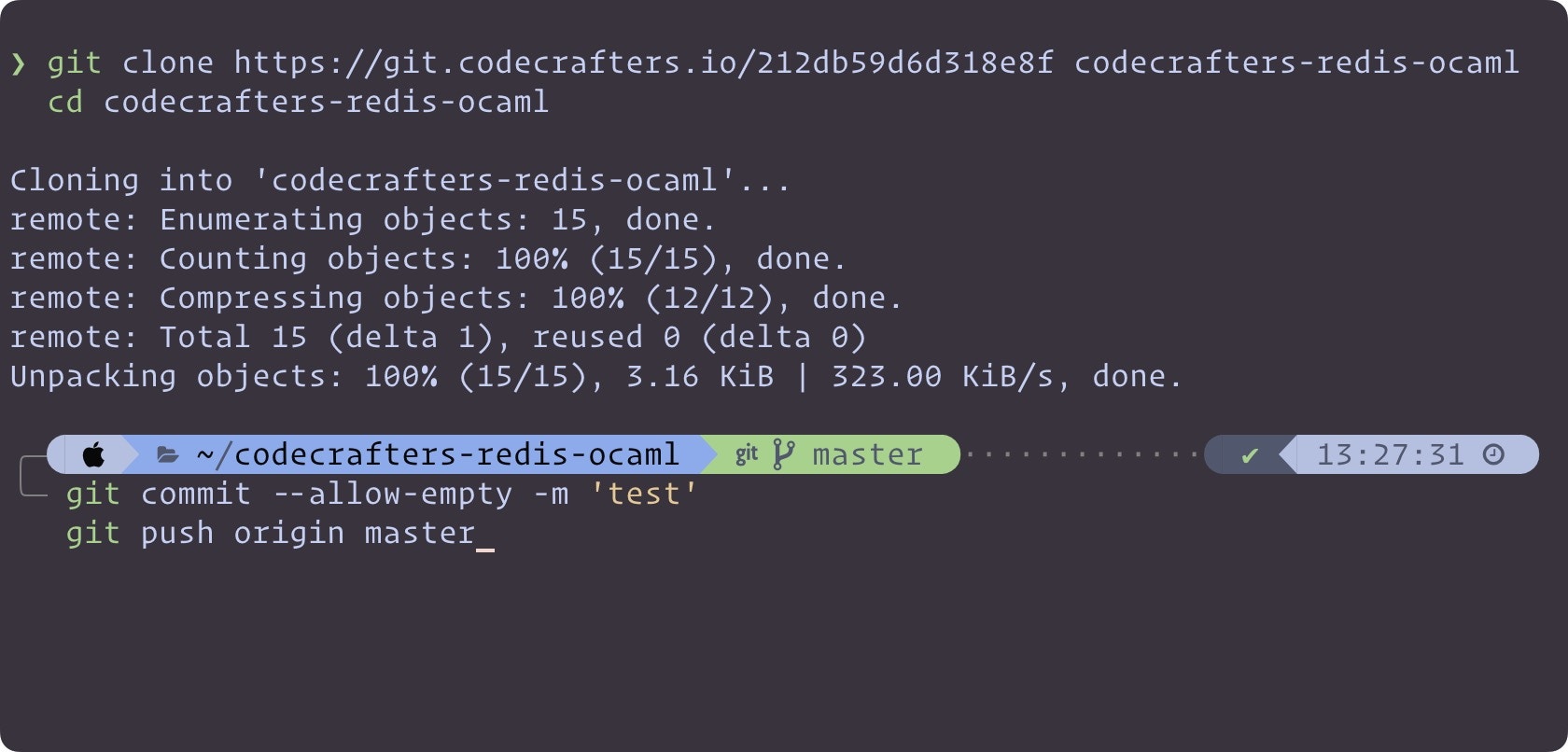 Once we receive the test commit and have verified that your repository is setup correctly, you'll automatically proceed to the first stage.
### 2. First Stage Instructions
You'll now see instructions for the first stage.
Once we receive the test commit and have verified that your repository is setup correctly, you'll automatically proceed to the first stage.
### 2. First Stage Instructions
You'll now see instructions for the first stage.
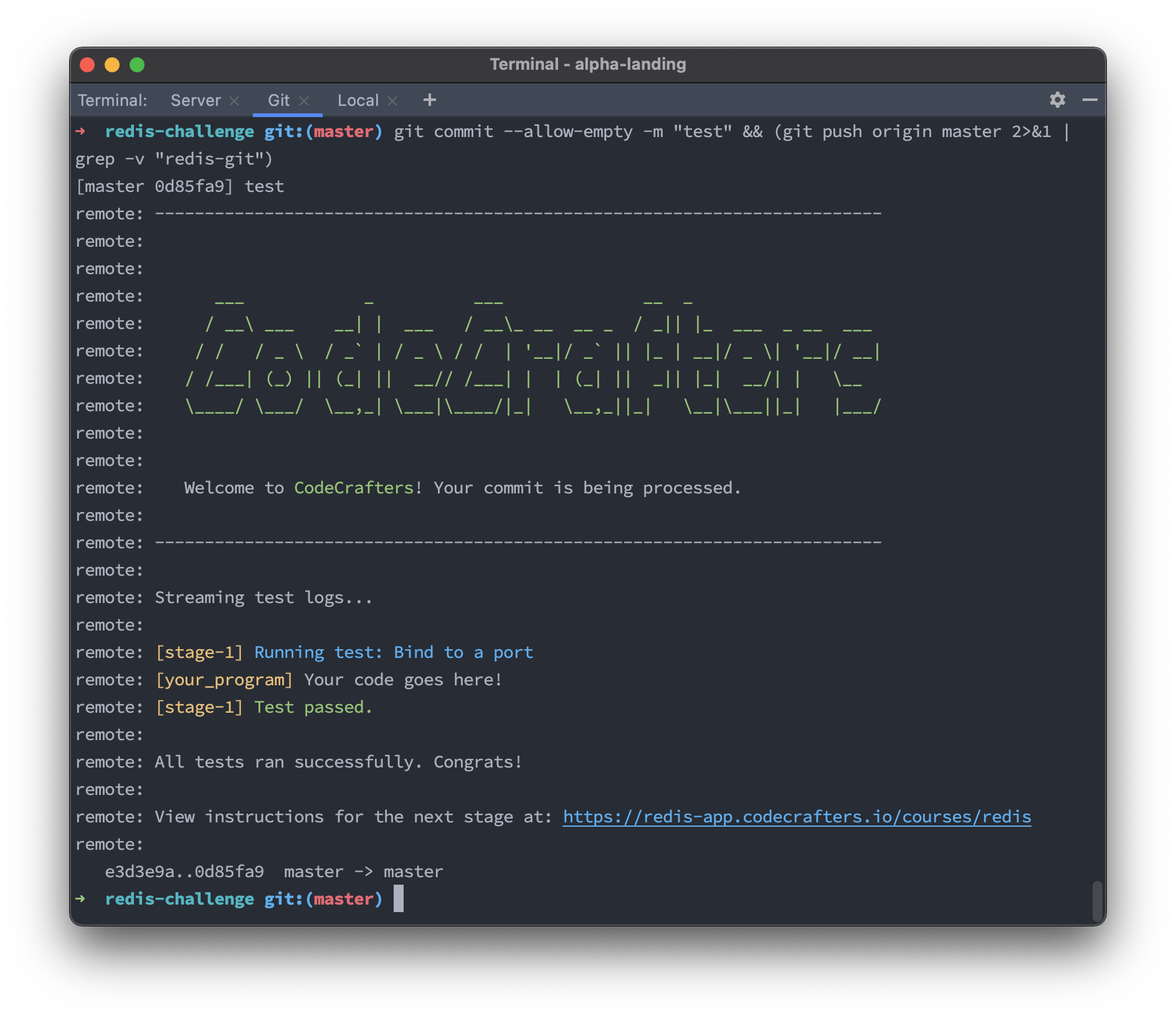
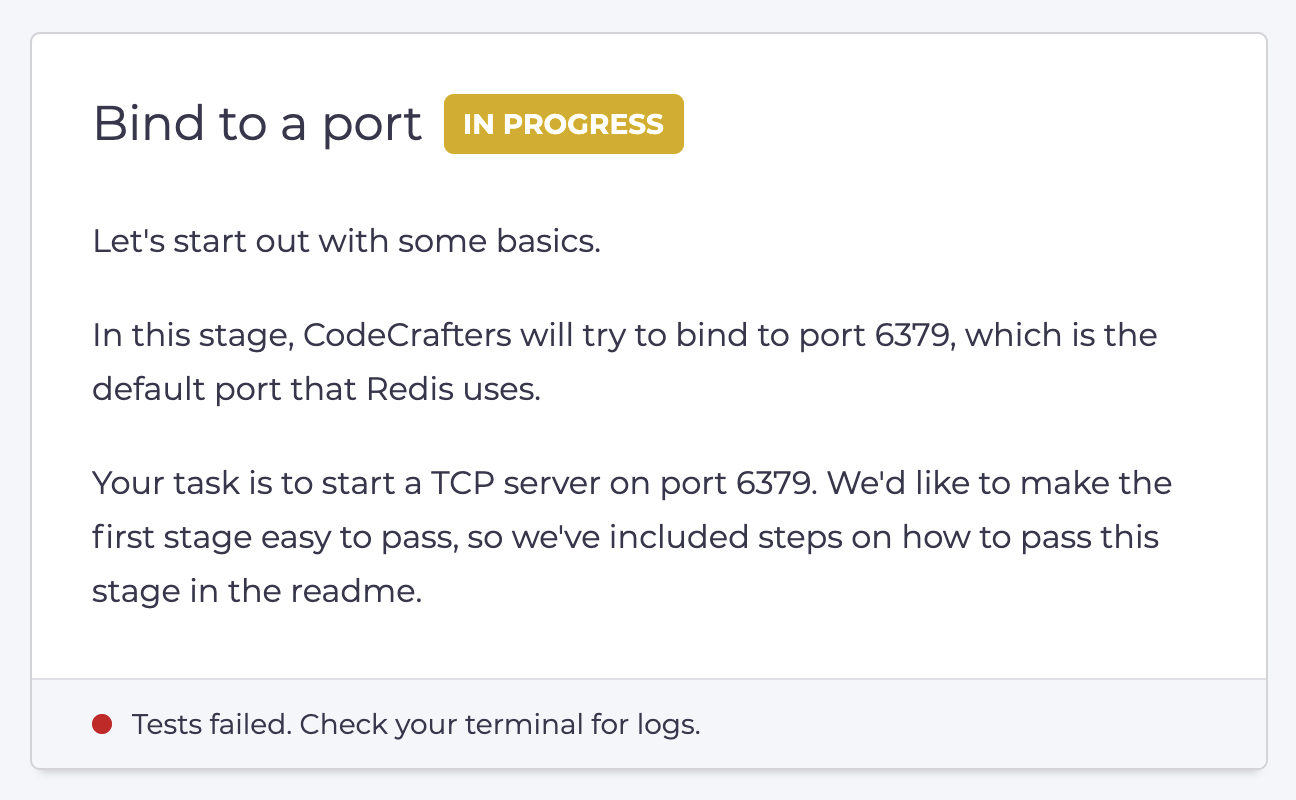 CodeCrafters follows a TDD-like approach. For each stage we'll run tests on your code. The tests will initially fail, and then you'll submit code to make those tests pass. In the terminal where you ran git push, you'll see test results available:
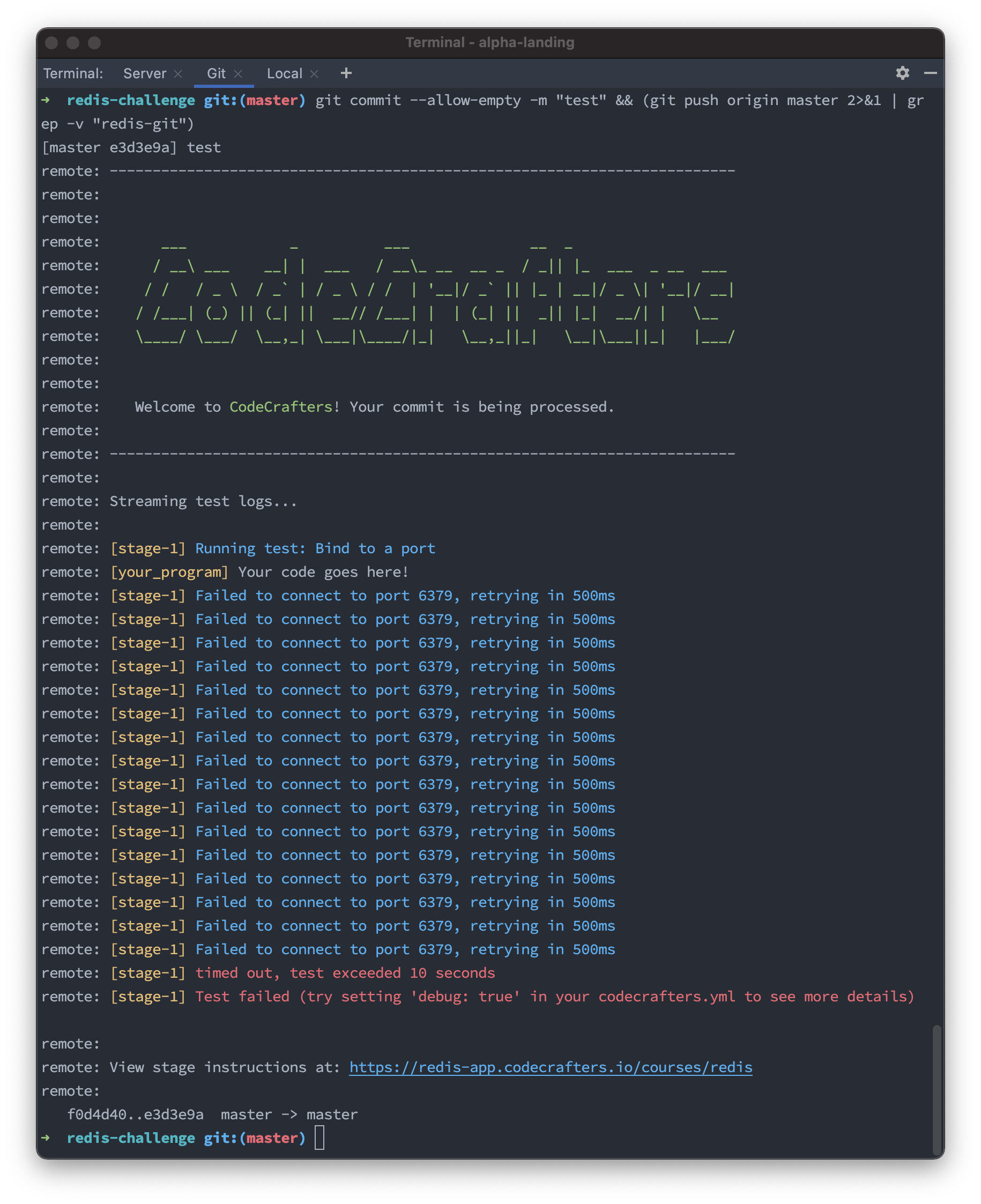 (Yes, git push output can contain colors!)
### 3. Passing the first stage
The README will contain [instructions on how to pass the first stage](https://github.com/codecrafters-io/redis-starter-python#passing-the-first-stage). We always include this along with your starter repository, so that it's easy to get started.
(Yes, git push output can contain colors!)
### 3. Passing the first stage
The README will contain [instructions on how to pass the first stage](https://github.com/codecrafters-io/redis-starter-python#passing-the-first-stage). We always include this along with your starter repository, so that it's easy to get started.
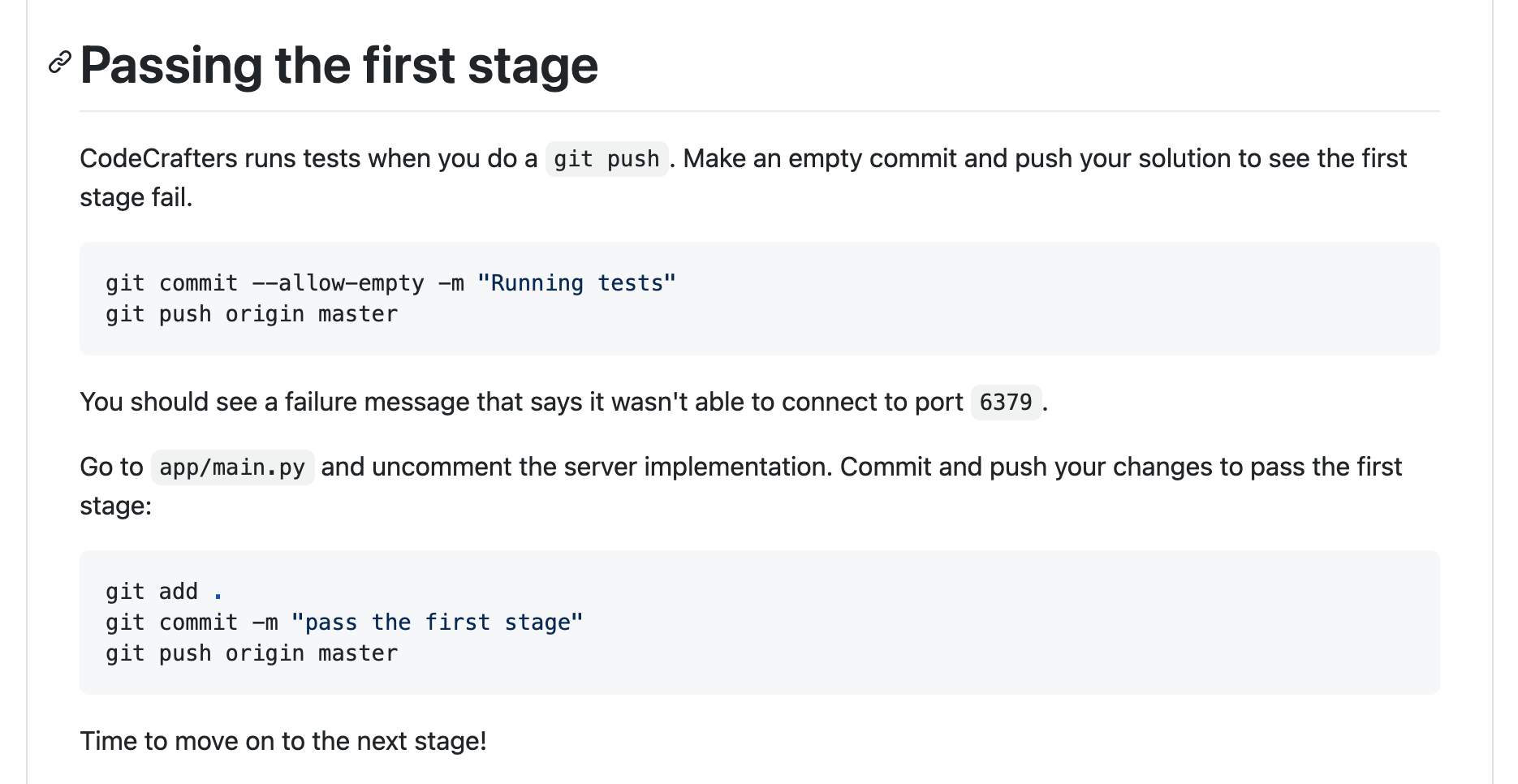 If you visit `app/main.py` as suggested above, you'll see some commented out code:
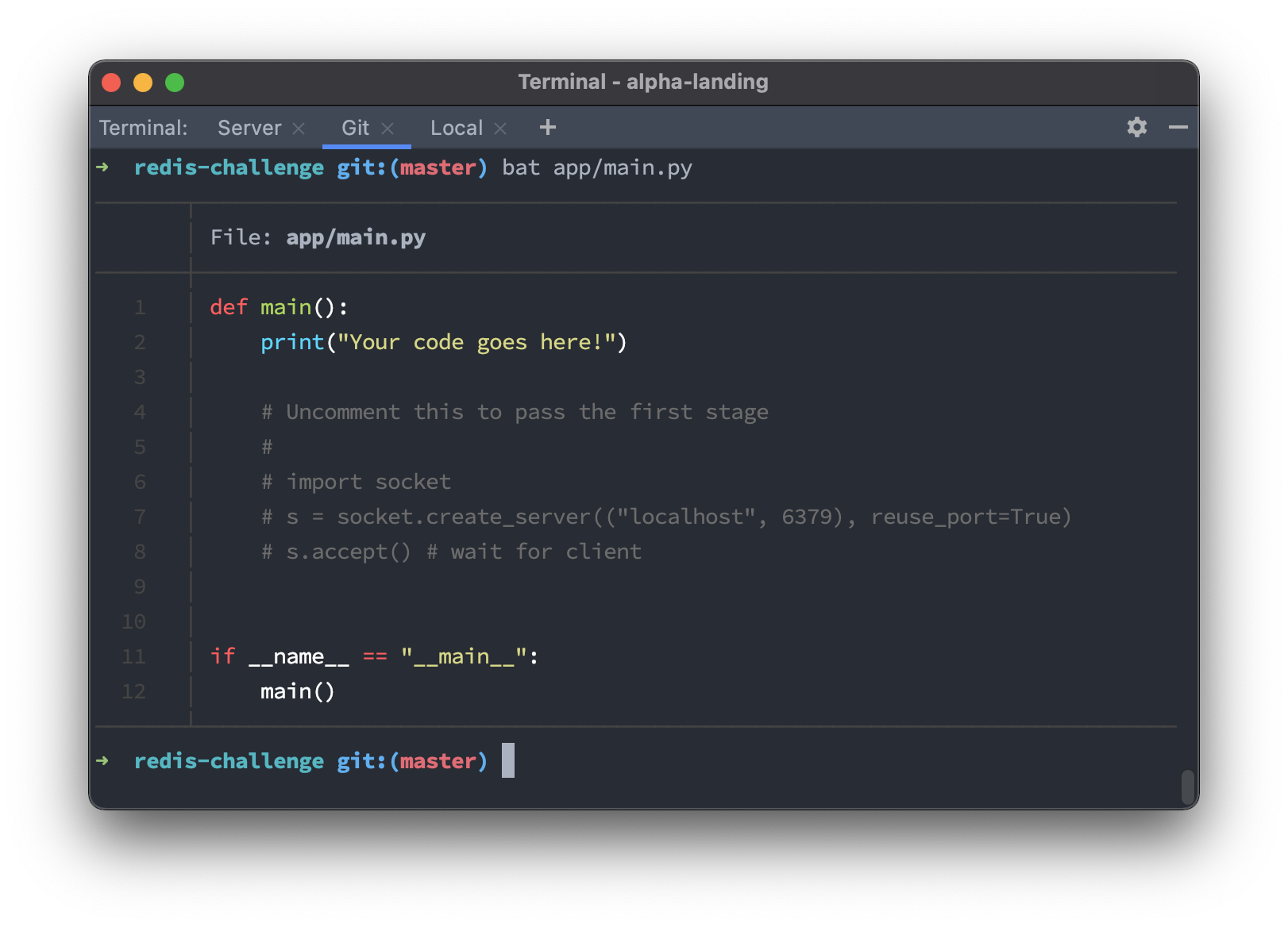 To pass the first stage, all you've got to do is uncomment the code above and then run a git push.
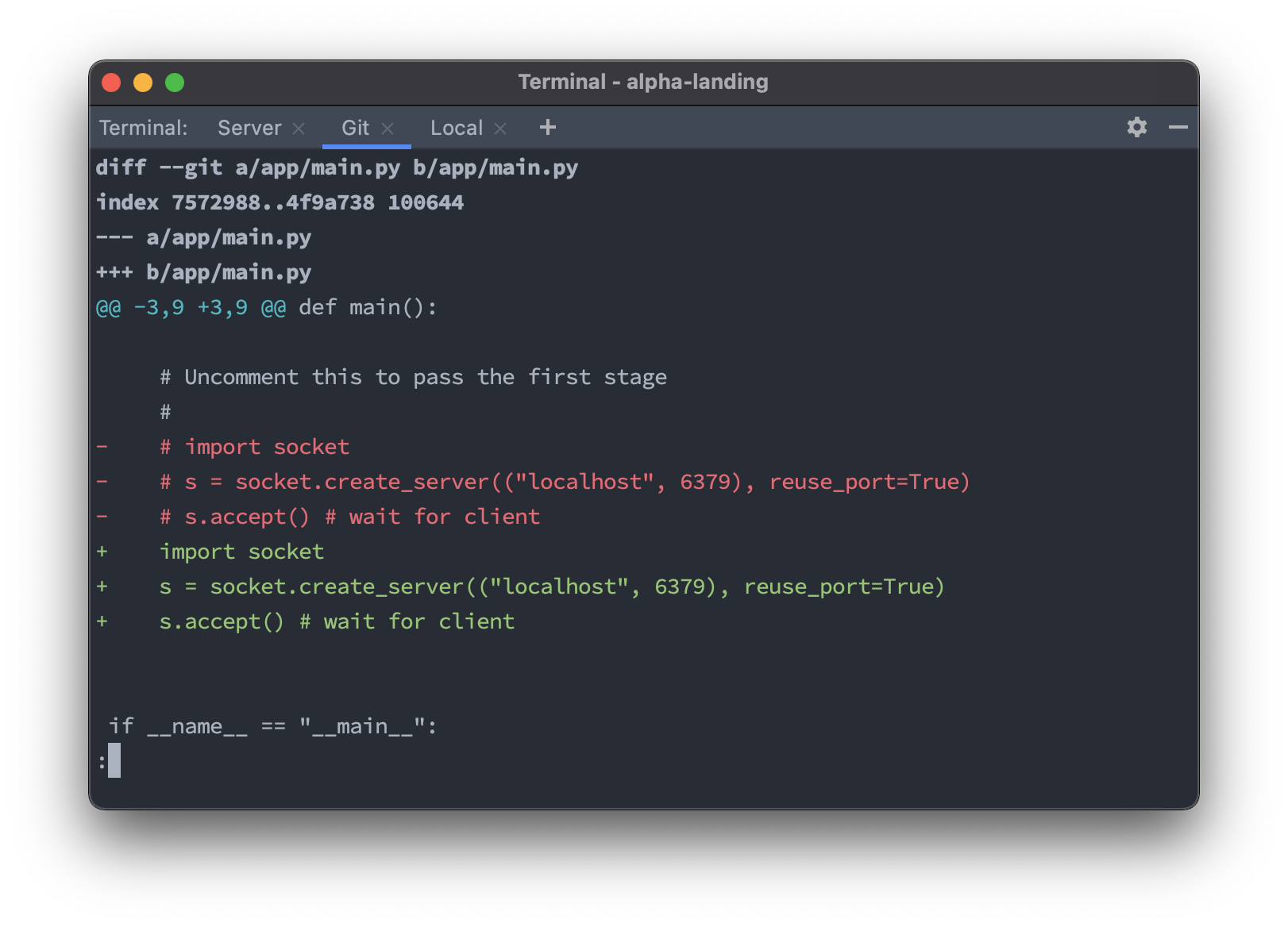 When you run git push, you'll see the first stage pass.
 ### 4. Next stage
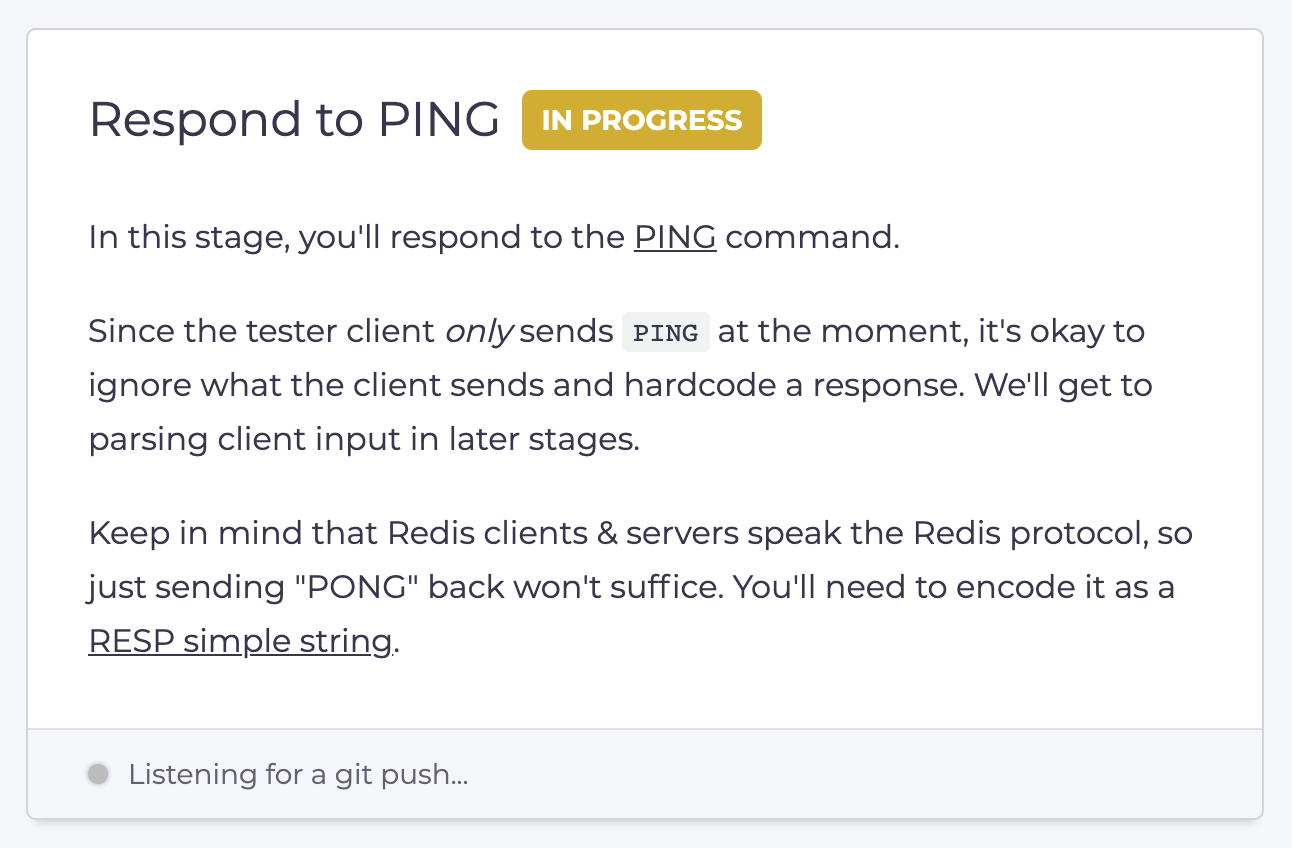
When you head back to the web UI, you'll now see instructions for the second stage:
### 4. Next stage
When you head back to the web UI, you'll now see instructions for the second stage:
 A lot of care goes into crafting these stage instructions. They're tailored to the language you're using, and we ensure that you receive the right hints at the right time. All challenges are vetted by hundreds of early access users before being released to the public.