> ## Documentation Index
> Fetch the complete documentation index at: https://docs.codecrafters.io/llms.txt
> Use this file to discover all available pages before exploring further.
# How do I debug test failures?
> Running into test failures that are hard to debug? Try these steps.
## Steps
### 1. Turn on debug mode
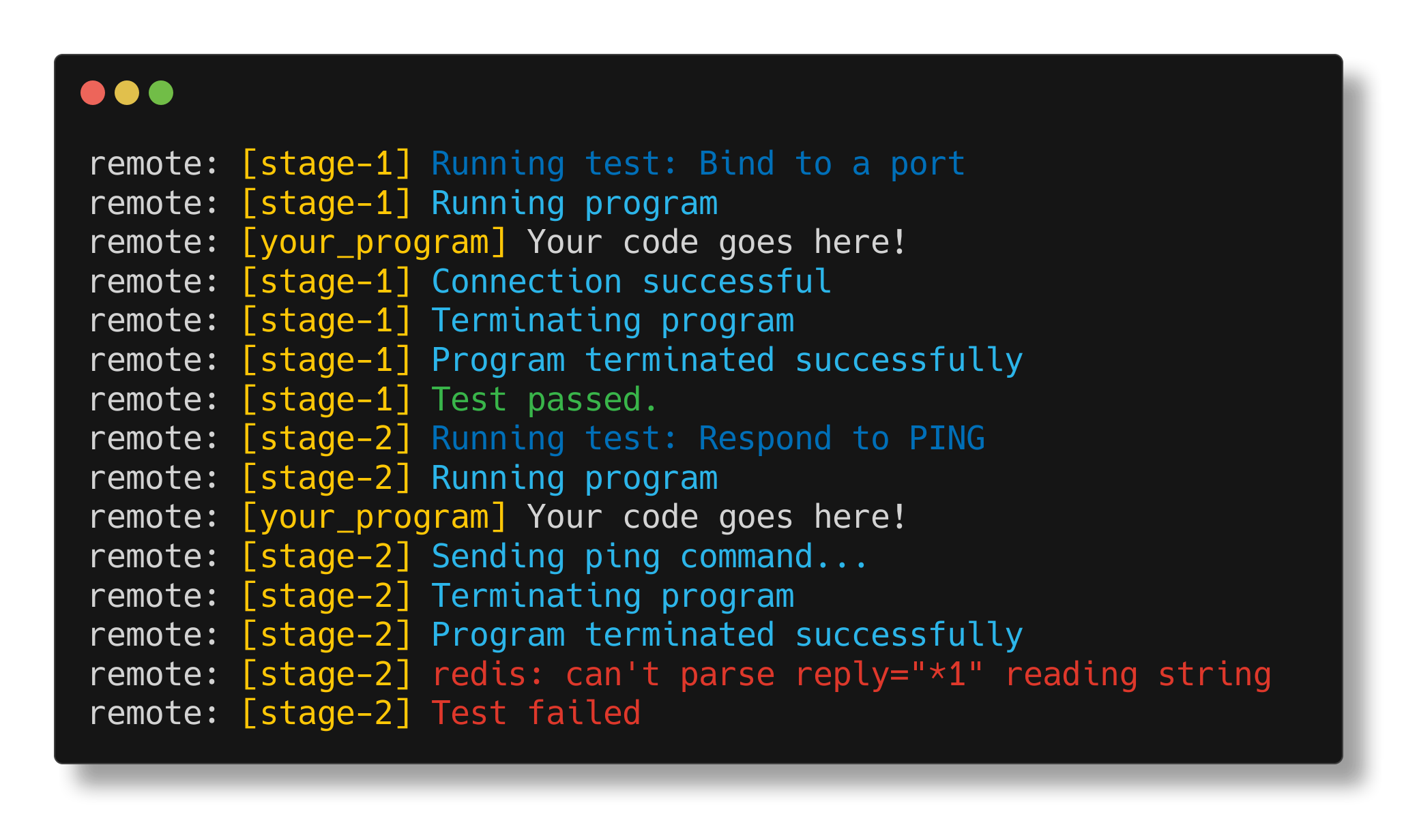
If you don't have debug mode already, turn it on. When debug mode is on, the tester emits verbose logs that can help you better understand what it is doing.
You can enable debug mode by editing the `codecrafters.yml` file in the root of your repository and pushing a new commit to trigger a build.
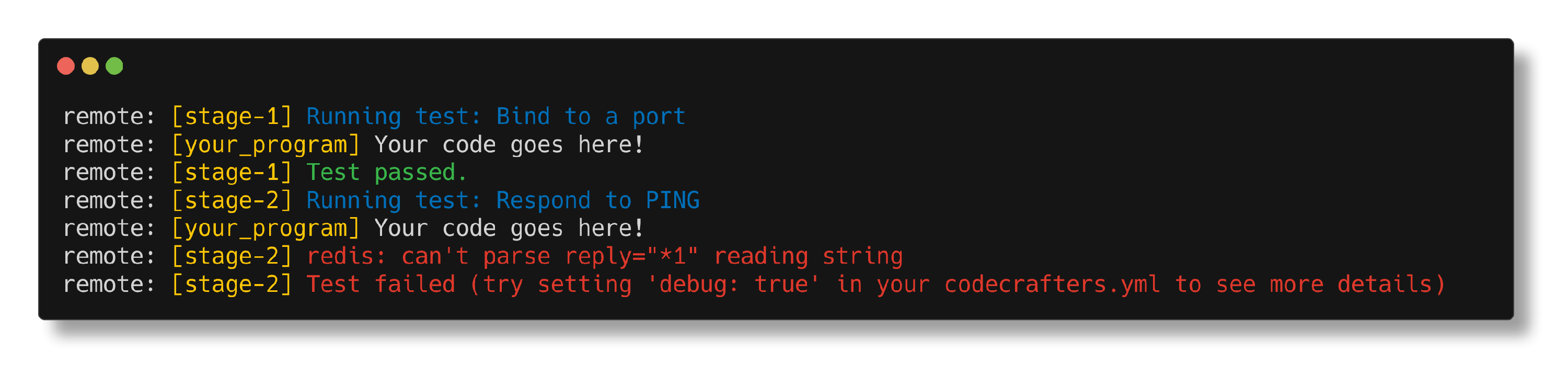
Here's what test output looks like with debug mode turned off (the default):
 and here's what it looks like with debug mode turned on:
 ### 2. Try adding logs in your code
Use the infamous [printf()](https://stackoverflow.com/questions/189562/what-is-the-proper-name-for-doing-debugging-by-adding-print-statements/189570#189570) debugging technique. Any output on stderr/stdout from your program will be visible in the test logs with the `[your_program]` prefix.
Adding logs in your code can help narrow down the problem.
### 3. Ask for help
If you're still struggling with a bug that is hard to track down, feel free to ask in the [forum](https://forum.codecrafters.io/).
**Note**: We also have an article specific to the Redis challenge: [How do I debug test failures in the Redis Challenge?](/challenges/debug-test-failures-redis).
### 2. Try adding logs in your code
Use the infamous [printf()](https://stackoverflow.com/questions/189562/what-is-the-proper-name-for-doing-debugging-by-adding-print-statements/189570#189570) debugging technique. Any output on stderr/stdout from your program will be visible in the test logs with the `[your_program]` prefix.
Adding logs in your code can help narrow down the problem.
### 3. Ask for help
If you're still struggling with a bug that is hard to track down, feel free to ask in the [forum](https://forum.codecrafters.io/).
**Note**: We also have an article specific to the Redis challenge: [How do I debug test failures in the Redis Challenge?](/challenges/debug-test-failures-redis).