> ## Documentation Index
> Fetch the complete documentation index at: https://docs.codecrafters.io/llms.txt
> Use this file to discover all available pages before exploring further.
# How do I delete my account?
> Instructions on deleting your CodeCrafters account
# Instructions
To delete your CodeCrafters account and all associated data, follow these steps:
1. Visit your [account settings page](https://app.codecrafters.io/settings/account).
2. Click on **Delete my account**
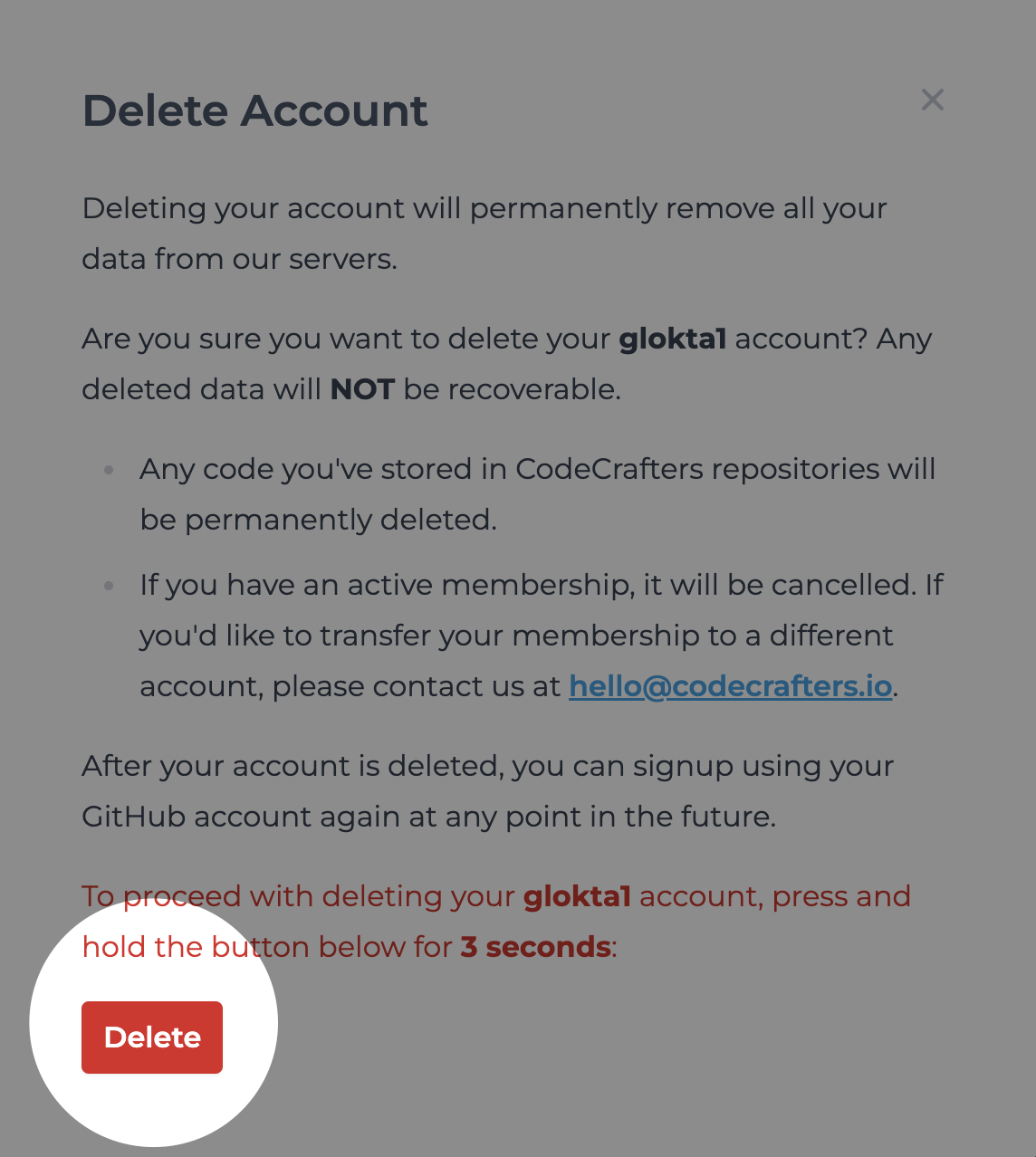
 3. **Press** and **hold** for *3 seconds* to confirm deletion of your account.
 # Frequently Asked Questions
### What happens to my data after I delete my account?
All data is permanently removed from our servers. This includes progress on challenges, code examples, screencasts, etc.
### How long does it take to delete my account?
Your account is deleted immediately.
### Can I recover my account after its deleted?
Unfortunately, no. You can choose to sign up via your GitHub account again anytime but you will start afresh.
# Frequently Asked Questions
### What happens to my data after I delete my account?
All data is permanently removed from our servers. This includes progress on challenges, code examples, screencasts, etc.
### How long does it take to delete my account?
Your account is deleted immediately.
### Can I recover my account after its deleted?
Unfortunately, no. You can choose to sign up via your GitHub account again anytime but you will start afresh.